 Upload
using NetObjects Fusion
Upload
using NetObjects Fusion
1. Open NetObjects Fusion.
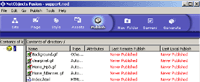
2. Click on the button labeled Publish.
This will tell you if your web site has been published
before. If your web site has been published, it will show a
date when it was published. If not, it will say Never Published.
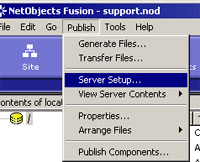
3. Click on Publish.
4. Click on Server Setup.
5. Select the option Remote Publish Server.
6. Enter the following information under the Basic
tab:
Name - You can leave this as Remote, Publish Server
or you can type yourdomain.com.
Type - Click on Remote.
FTP Host - Type ftp.yourdomainname.com.
Directory - Type yourdomainname.com/.
User name - Type your FTP username.
Password - Type your FTP password.
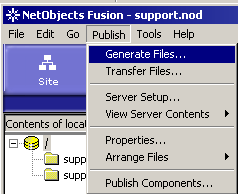
7.To publish your files, Click on Publish --> Generate
Files.
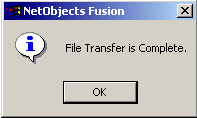
8. Once your web site has been successfully published,
you will see this message:
back
to Getting Started Guide
back
to Support Center
Home

