 Uploading
your site with DreamWeaver
Uploading
your site with DreamWeaver
1. Open Dreamweaver.
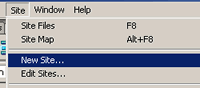
2. Click on Site --> New Site.
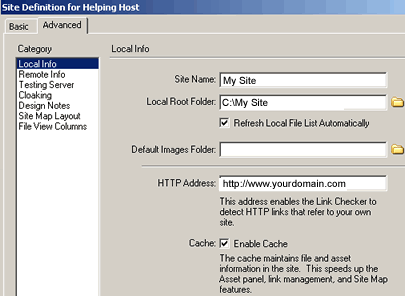
3. Click on the Category "Local Info".
Fill in the Site Name, Local Root Folder and HTTP address.
Local Root Folder is the folder that contains your
web site on your computer.
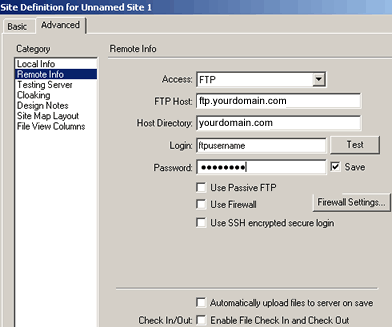
4. Click on the Category "Remote Info".
Fill in the FTP Host, which can be ftp.yourdomainname.com
or web.hostica.com
Fill in the Host Directory, which is your domain name.
For example: domainname.com
Lastly, fill in the Login/Password you selected during
signup.
Click on OK.
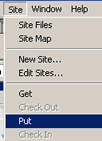
5. To upload, open one of your pages, and click on
Site -->Put.
back
to Getting Started Guide
back
to Support Center
Home

